Screenshots
What the app looks like
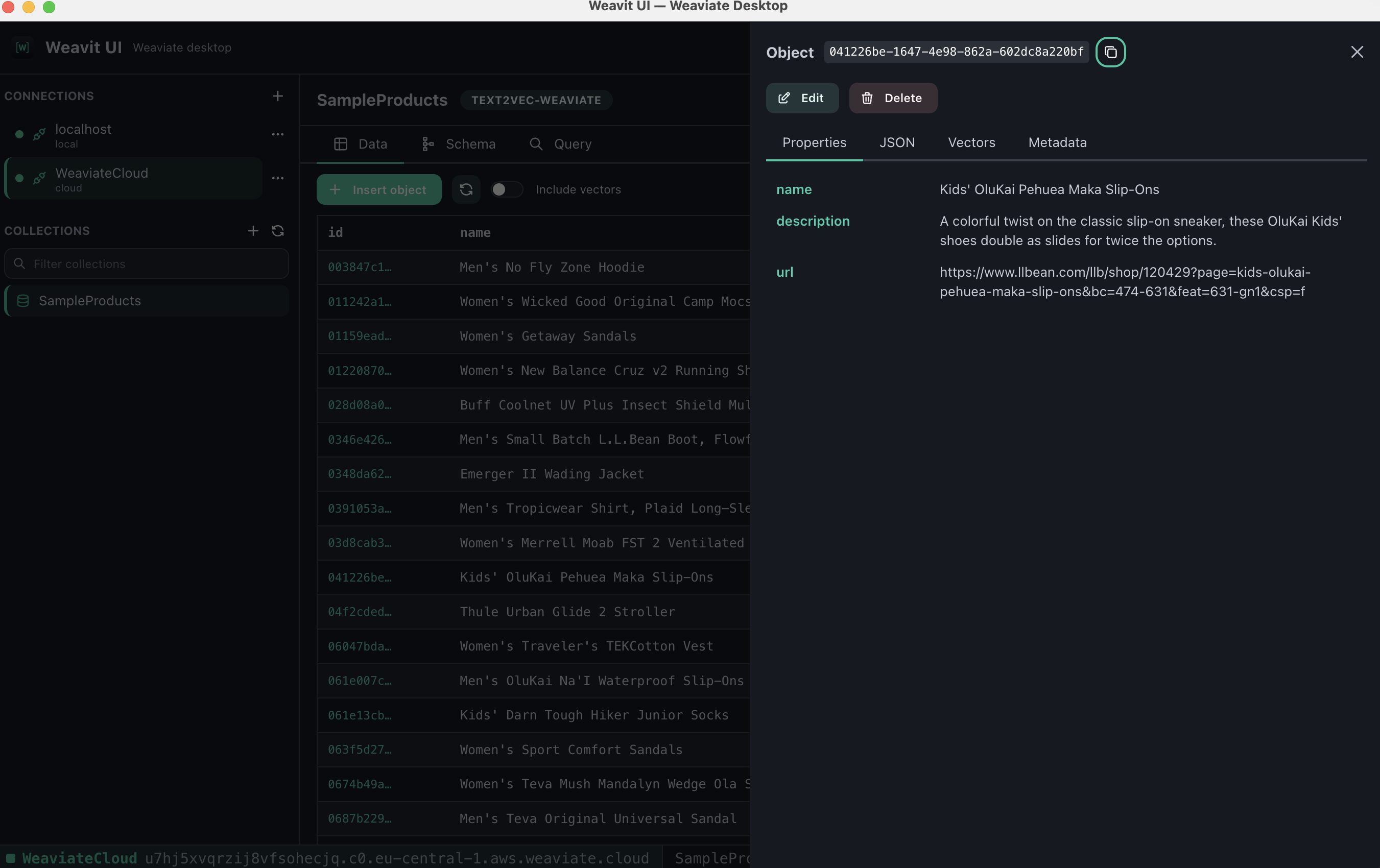
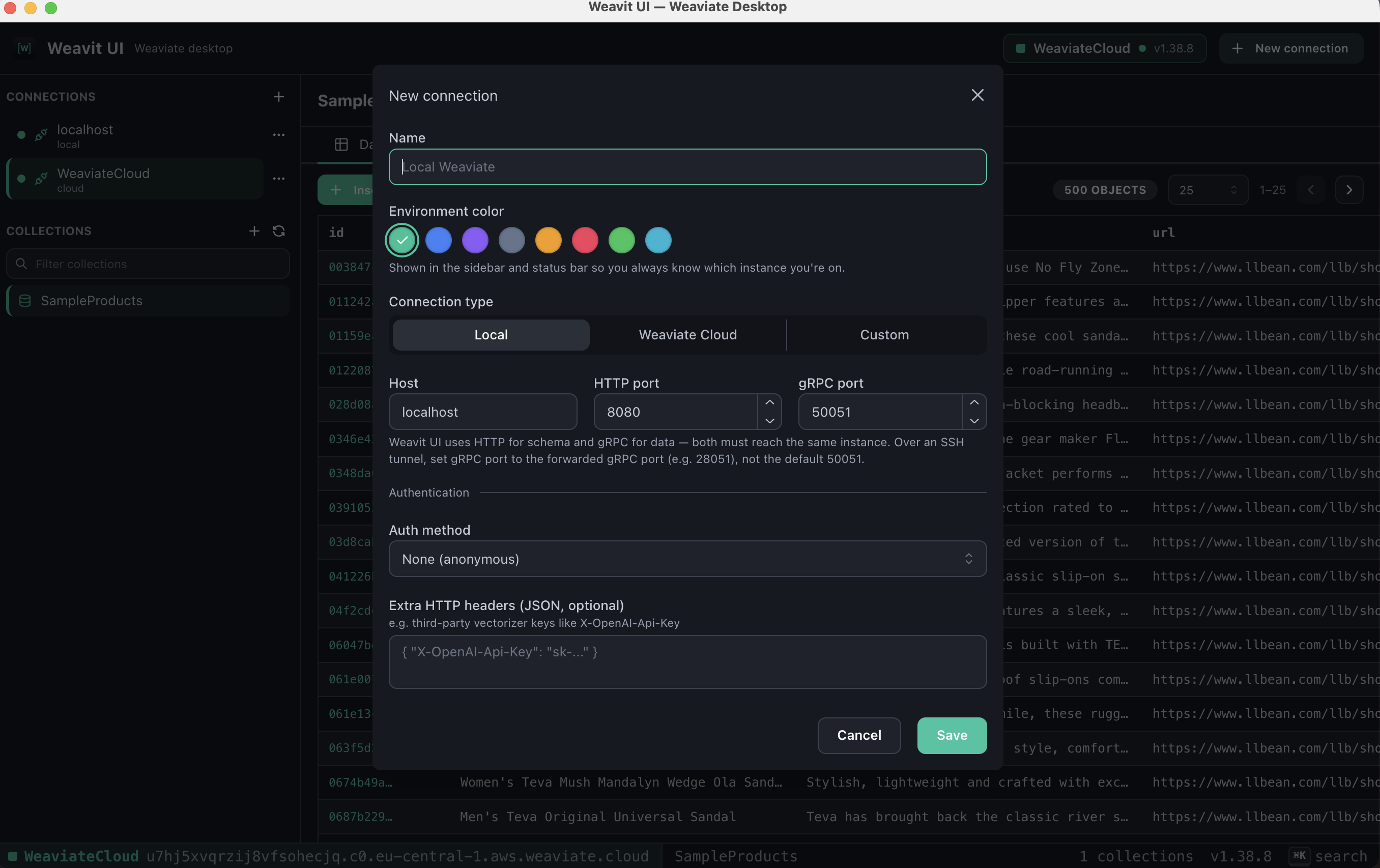
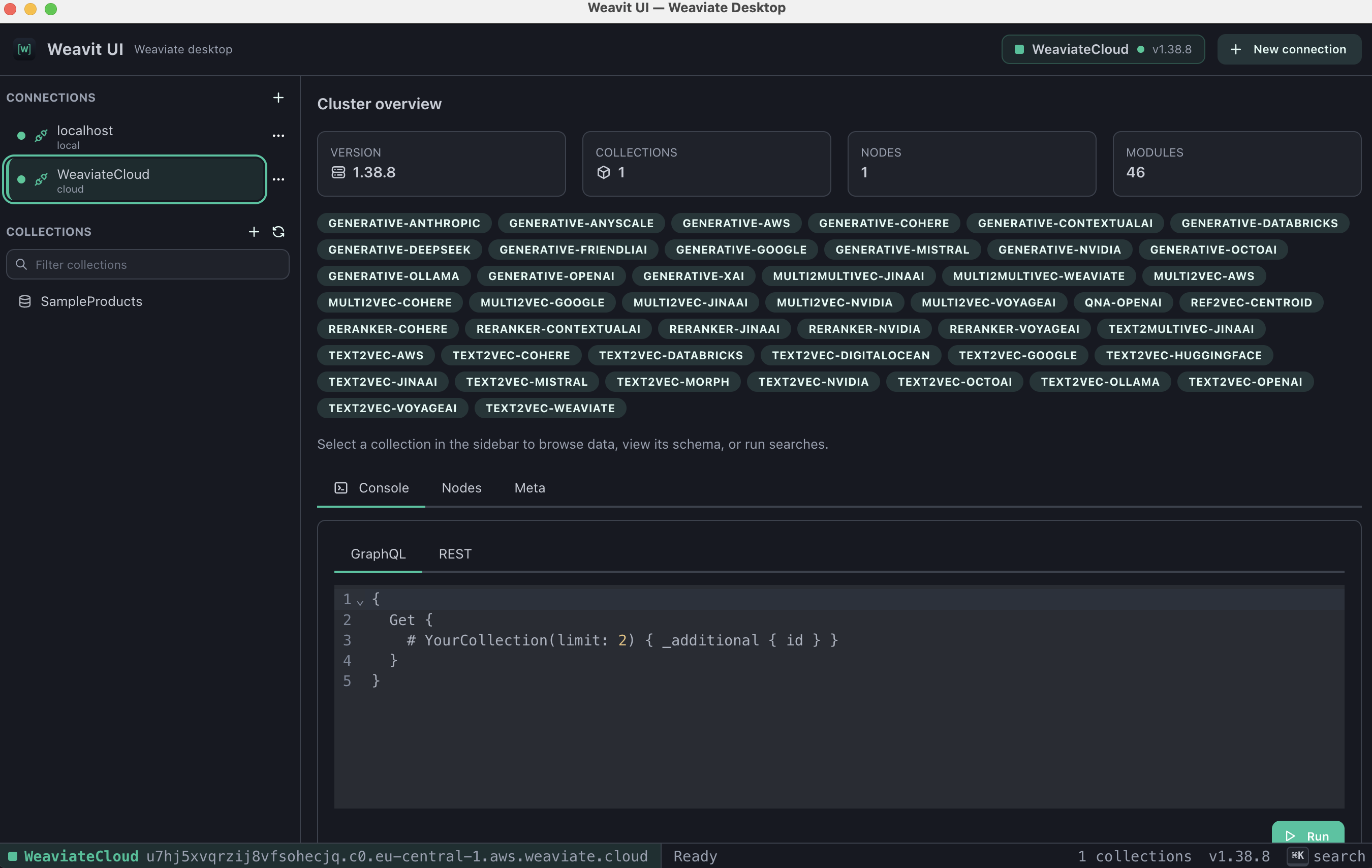
● weavit ui · v1.2.0 · apache-2.0
Weavit UI connects to any Weaviate instance — local Docker, self-hosted, or Weaviate Cloud — and gives you a real interface for it. Browse collections, read and edit objects, inspect named vectors, and run vector, keyword and hybrid searches without hand-writing GraphQL — then run the instance itself: tenants, backups, aliases, users and roles.
Every object carries an embedding. Weavit UI shows it — alongside the properties, the raw JSON, and the metadata — instead of leaving it as an opaque array behind an API call.
Screenshots
Features
Read and write. Weavit UI covers the day-to-day work of running a vector database: inspecting what got ingested, fixing a bad object, checking that a search actually returns what you expect — and the operations around it, from backups and tenants to who is allowed to do any of it.
Local, Weaviate Cloud, or custom hosts with independent HTTP and gRPC endpoints. Anonymous, API-key or OIDC auth, plus extra headers for third-party vectorizer keys. Credentials are encrypted with your OS keychain.
Every collection in a sidebar tree, with its properties, vectorizer, vector index settings, and multi-tenancy config laid out. Create, edit and delete collections — change settings and add properties without writing a schema payload.
A paginated object browser with structured and raw-JSON views, named vector display, sortable columns and a tenant selector. Insert new objects, patch existing ones by merge or replace, and delete. Bulk-import from JSON, NDJSON or CSV, and export back out.
Backups you can create, watch, cancel and restore per collection. Aliases you can repoint. Tenants you can create and move between active, inactive and offloaded. Shards, nodes and replica movement, with a live replication queue.
Build a role from Weaviate's permission model, grant it to database users or OIDC groups, and issue or rotate API keys. Connections whose key is read-only say so, and a refusal tells you which permission was missing instead of printing a raw 403.
nearText, nearVector, nearObject, nearImage, nearMedia, BM25 keyword and hybrid — with a visual filter builder, target-vector selection, property projection, autocut, group-by and reranking. Generative search runs in its own tab, and every query is kept in a re-runnable history.
Cluster metadata, installed modules, per-node status and a tokenizer preview. When you need to drop to the wire, the built-in GraphQL and REST consoles send raw requests to the same connection.
The UI never reaches Weaviate directly. All access goes through a typed IPC bridge in the Electron main process, with context isolation on, node integration off, sandboxing enabled, and a production CSP.
Download
Free and open source under Apache-2.0. Pick your platform, or browse every asset on the GitHub releases page.
| Platform | Installer | File |
|---|---|---|
| macOS — Apple Silicon | Download .dmg | Weavit-UI-1.2.0-arm64.dmg |
| macOS — Intel | Download .dmg | Weavit-UI-1.2.0-x64.dmg |
| Windows — x64 | Download installer | Weavit-UI-1.2.0-setup.exe |
| Linux — portable | Download AppImage | Weavit-UI-1.2.0-x86_64.AppImage |
| Linux — Debian / Ubuntu | Download .deb | Weavit-UI-1.2.0-amd64.deb |
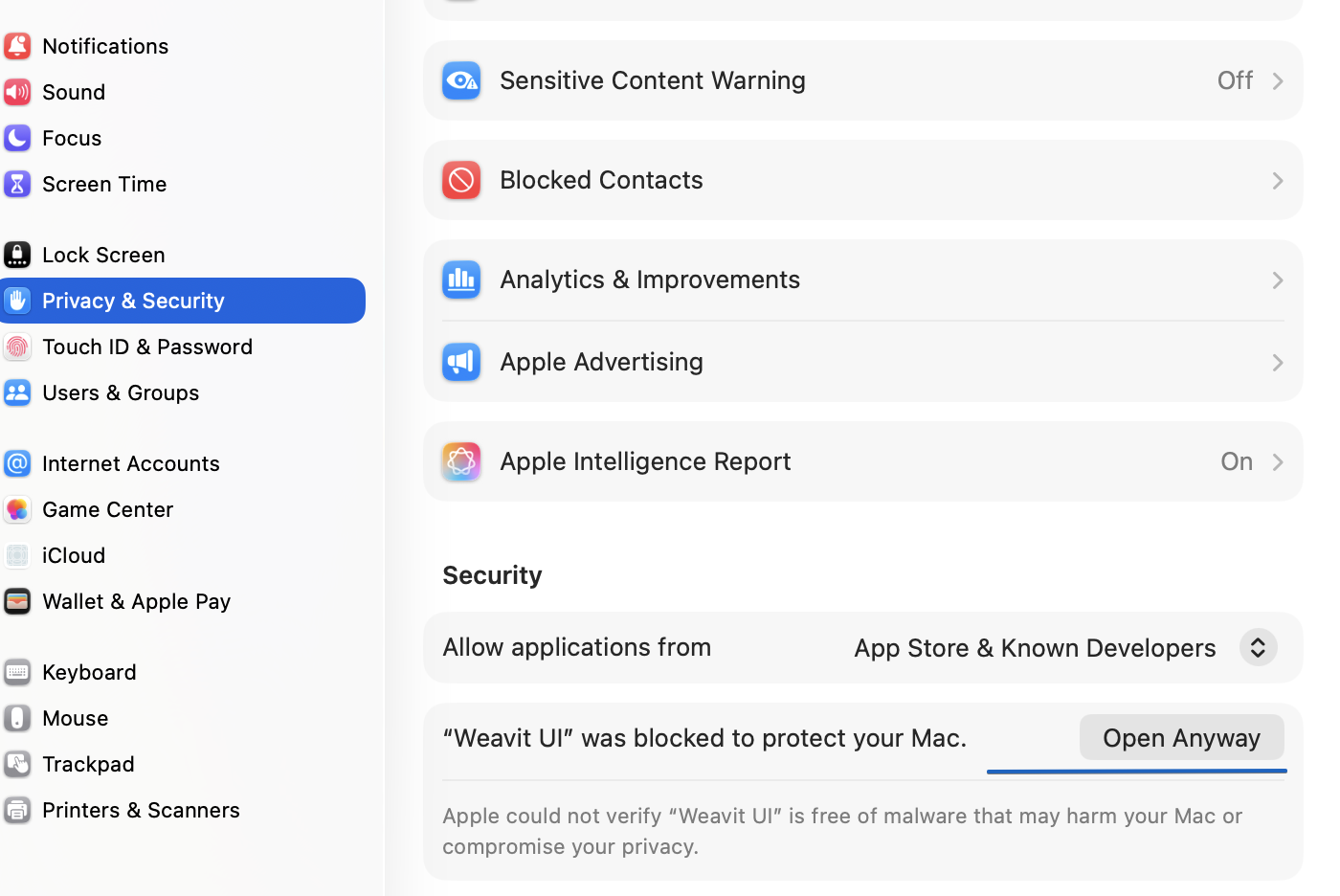
Weavit UI is an unsigned community build — it isn't notarized by Apple, so macOS blocks it the first time you open it. This is expected, and you only do this once.
Weavit UI opens, and every launch after this one is normal — you won't be asked again.
Why the warning? Notarizing an app requires a paid Apple Developer account. Weavit UI is a free, open-source project, so the builds ship unsigned. Every installer is built in public from this repo by GitHub Actions — you can read the workflow, or build it yourself.
Windows: SmartScreen will flag the installer for the same reason —
click More info → Run anyway. Linux: no prompt; mark the AppImage executable
with chmod +x before running it. Prefer to build it yourself? The source and
build instructions are
on GitHub.
FAQ
Yes — Weavit UI. It's a free, open-source desktop GUI for Weaviate on macOS, Windows and Linux. It connects to any instance, local or cloud, and gives you a collection browser, an object editor, a vector inspector, and a search builder in one window.
Add a connection pointing at your Weaviate host, and every collection in the schema appears in the sidebar. Selecting one opens a paginated object browser: read properties, switch to raw JSON, pick a tenant on multi-tenant collections, and open any object to see its named vectors and metadata.
On instances with RBAC enabled, yes. Build a role from Weaviate's permission model, grant it to database users or OIDC groups, and create users, rotate their API keys, or deactivate them. The app also reads the permissions of the key you connect with, so a read-only connection is labelled as one.
Yes. Local instances, Weaviate Cloud, and fully custom setups with separate HTTP and gRPC hosts and ports all work. Authenticate anonymously, with an API key, or over OIDC (password, client credentials or bearer token), and add extra HTTP headers when your vectorizer needs a third-party key such as OpenAI or Cohere.
On your machine, encrypted at rest with your operating system's keychain through
Electron's safeStorage. Nothing is sent anywhere else — there's no account,
no sync, and no telemetry.
That's Gatekeeper — the builds are unsigned, so macOS stops the first launch. Open the app once and dismiss the warning, then go to System Settings → Privacy & Security, scroll down to Security, click Open Anyway, and enter your Mac login password. You only do this once. Full steps, with a screenshot.
Seeing “Weavit UI is damaged and can't be opened” instead? That's the v1.0.0 Apple Silicon build, which shipped without a valid signature. Download v1.0.1 or later, which fixes it.
Nothing. Weavit UI is Apache-2.0 licensed open source with no paid tier. Contributions and bug reports are welcome on GitHub.
No. Weavit UI is an independent community project, not affiliated with, endorsed by, or sponsored by Weaviate B.V. It's built on the official weaviate-client library, but it isn't shipped or supported by them.